


How to Install VPN 1.1.1.1 for BOSSCLUB55

Step 1: Download 1.1.1.1

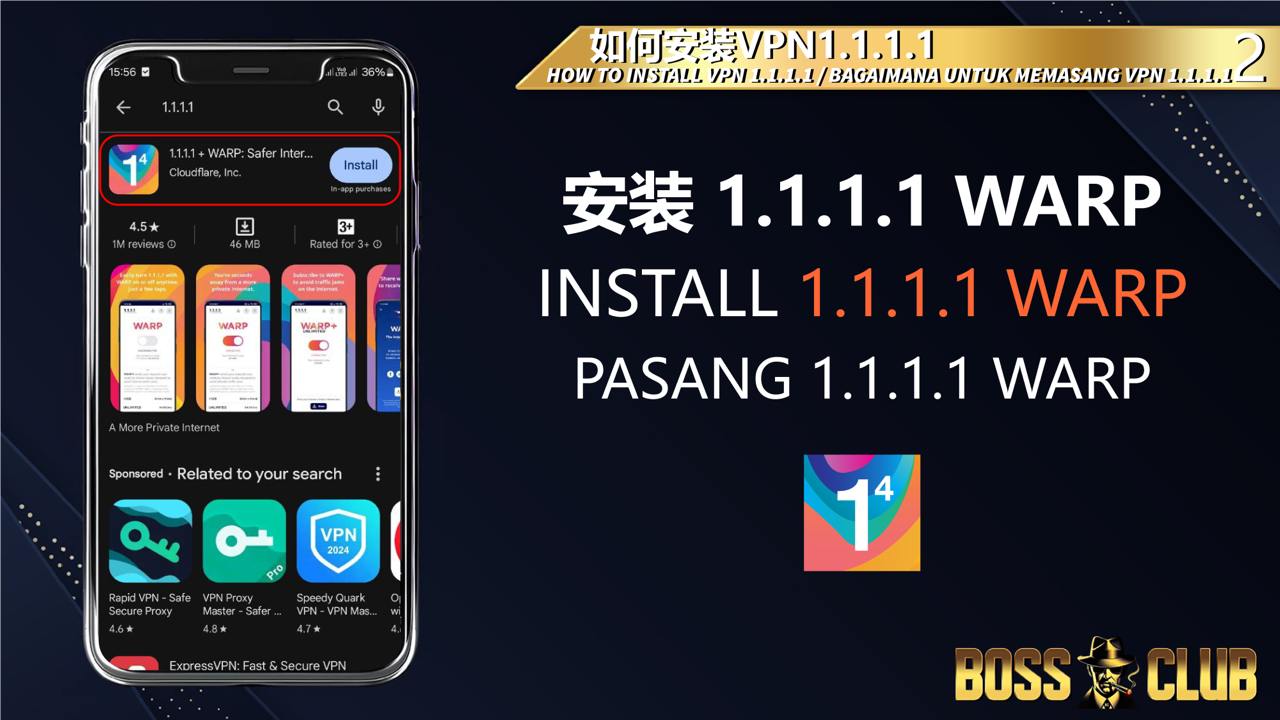
Go to the App Store (iOS) or Play Store (Android) and search for “1.1.1.1”.

Step 2: Install 1.1.1.1 Warp

Click “Install” to download and set up 1.1.1.1 Warp on your device.

Step 3: Complete Installation

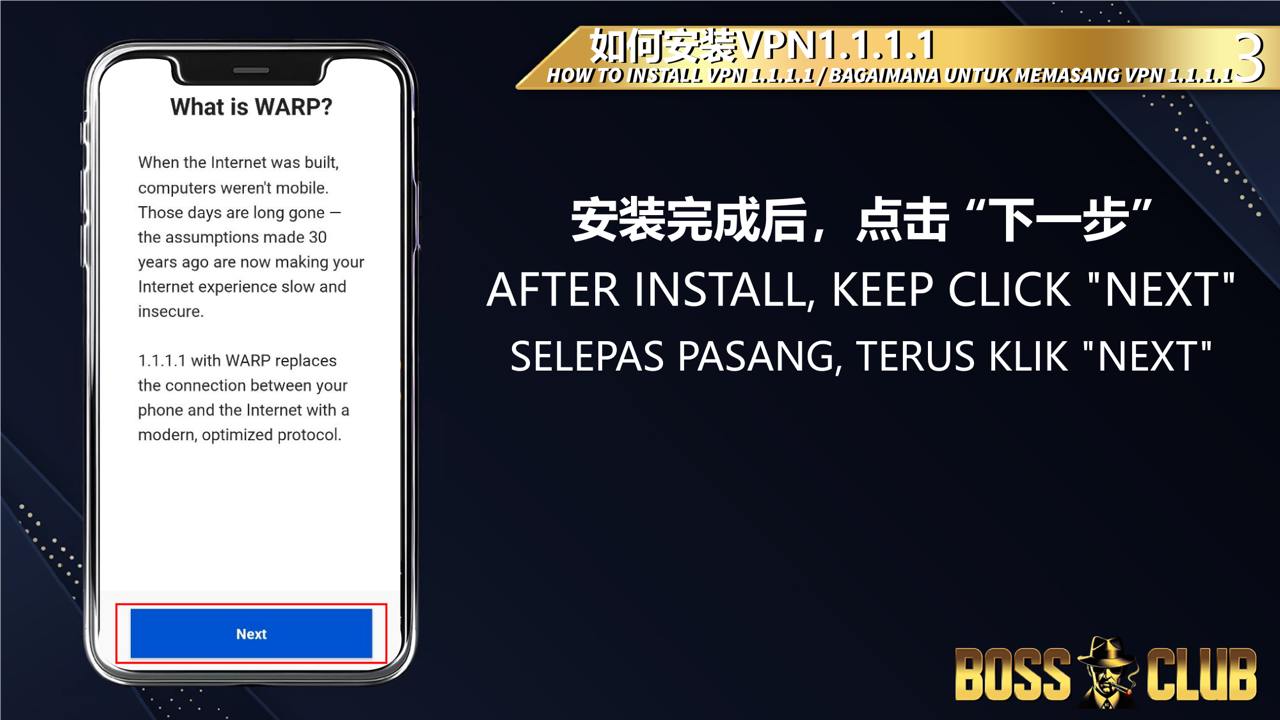
Once the app is installed, open it and keep clicking “Next” to proceed through the setup screens.

Step 4: Install VPN Profile

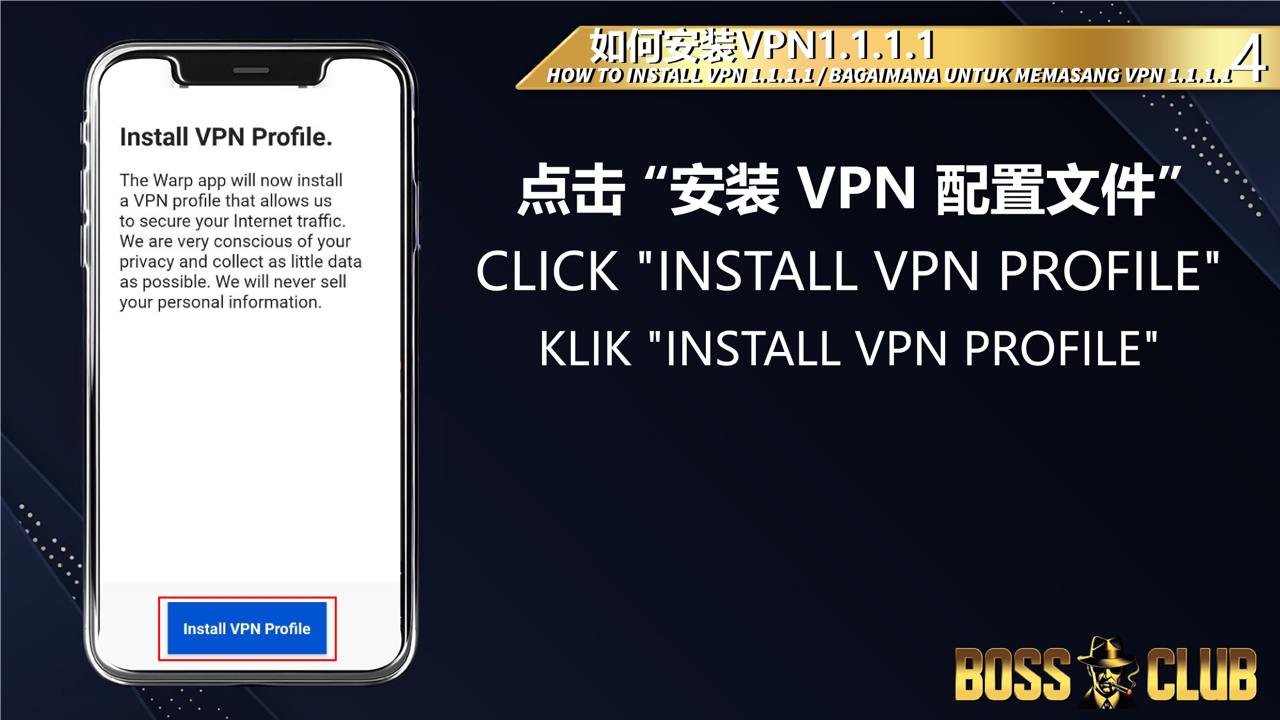
When prompted, click “Install VPN Profile” to configure the VPN settings for your device.

Step 5: Activate 1.1.1.1 Warp

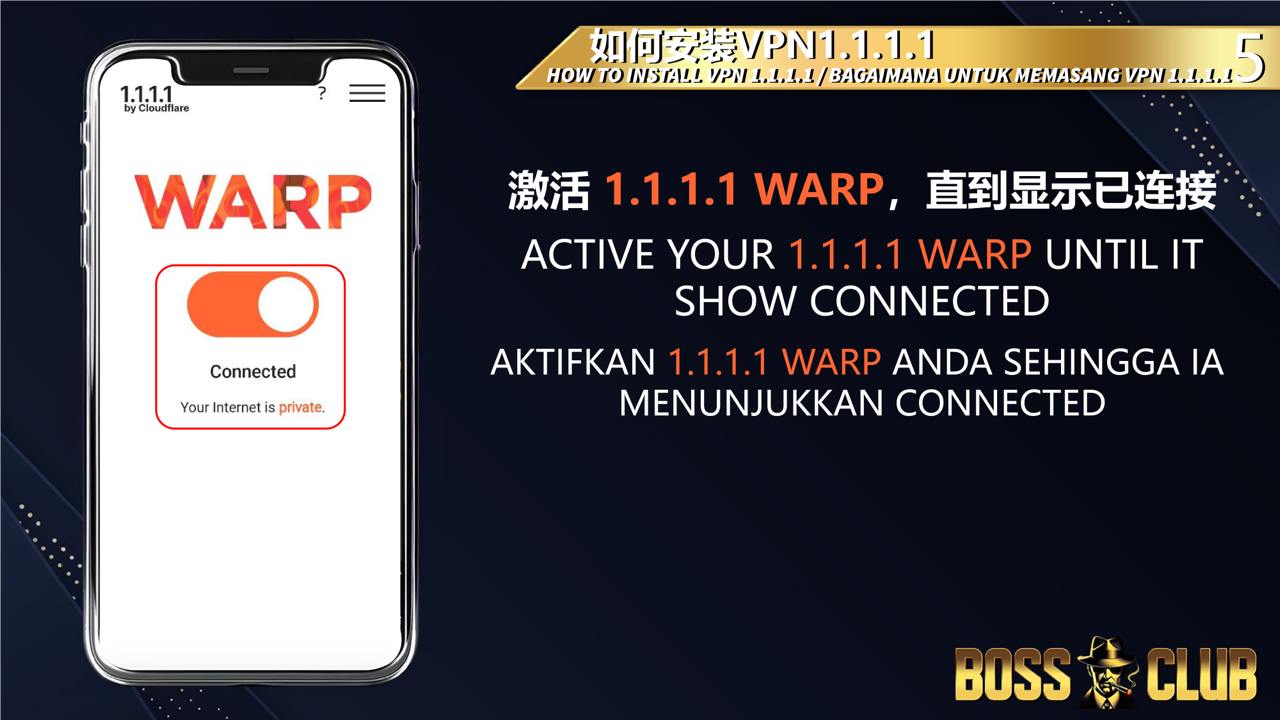
Turn on the VPN by activating 1.1.1.1 Warp. Wait until it shows “Connected” to ensure it’s working properly.

Step 6: Access BOSSCLUB55 Website

With 1.1.1.1 Warp active, you can now securely access www.bossclub55.co and enjoy seamless gameplay.

Enjoy Secure Gaming on BOSSCLUB55

Congratulations! You’ve successfully installed and activated 1.1.1.1 Warp VPN. With a secure and reliable connection, you can now enjoy all the features and games on www.bossclub55.co without interruptions.

Get ready to explore slots, casino games, sports betting, and more with complete peace of mind. If you have any questions, check out our tutorials or contact customer support for assistance.