
How to Withdraw on BOSSCLUB55 – A Simple Guide

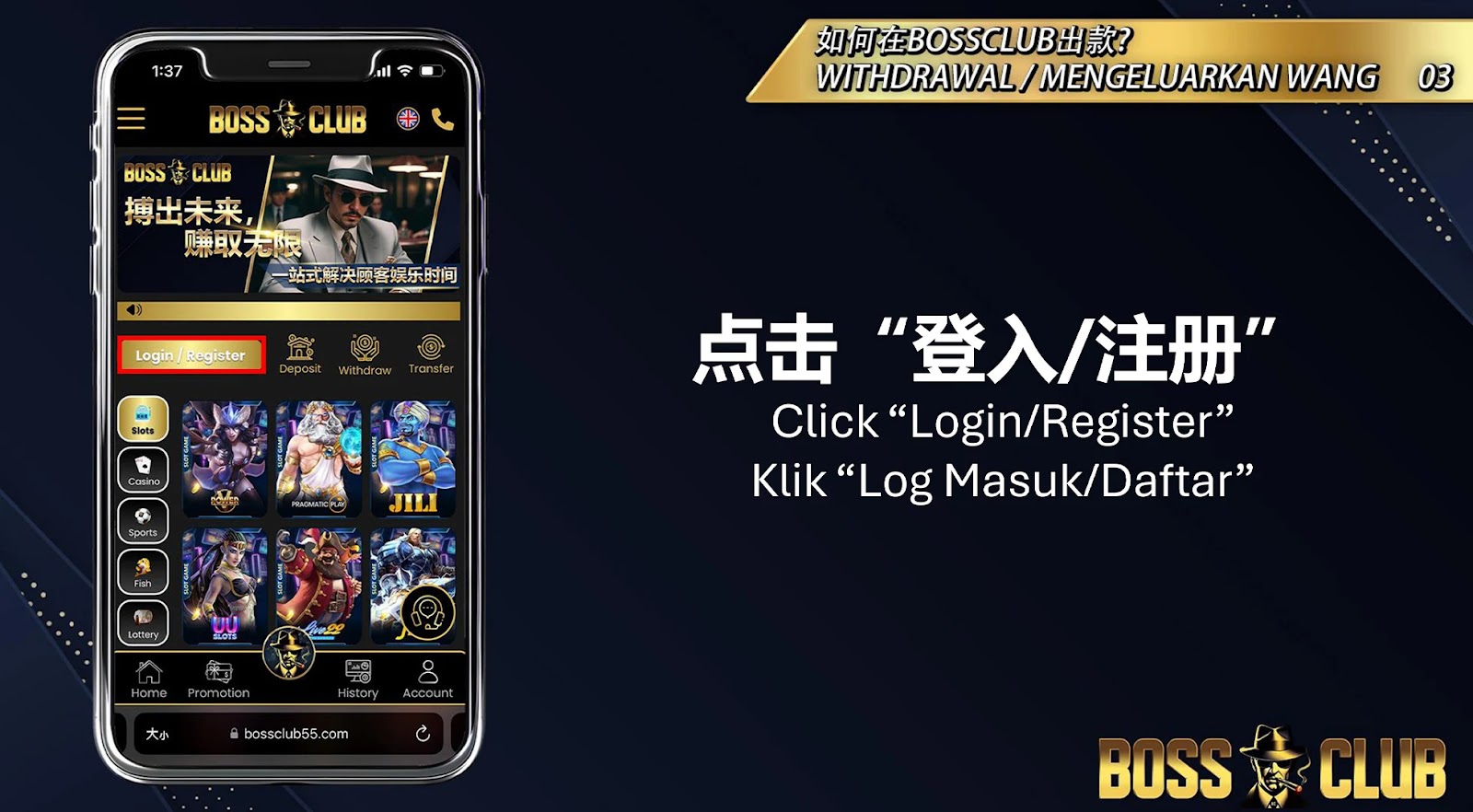
Step 1: Visit the Official Website

Go to the official BOSSCLUB55 website at www.bossclub55.co. Click on “Login/Register” to begin the process.

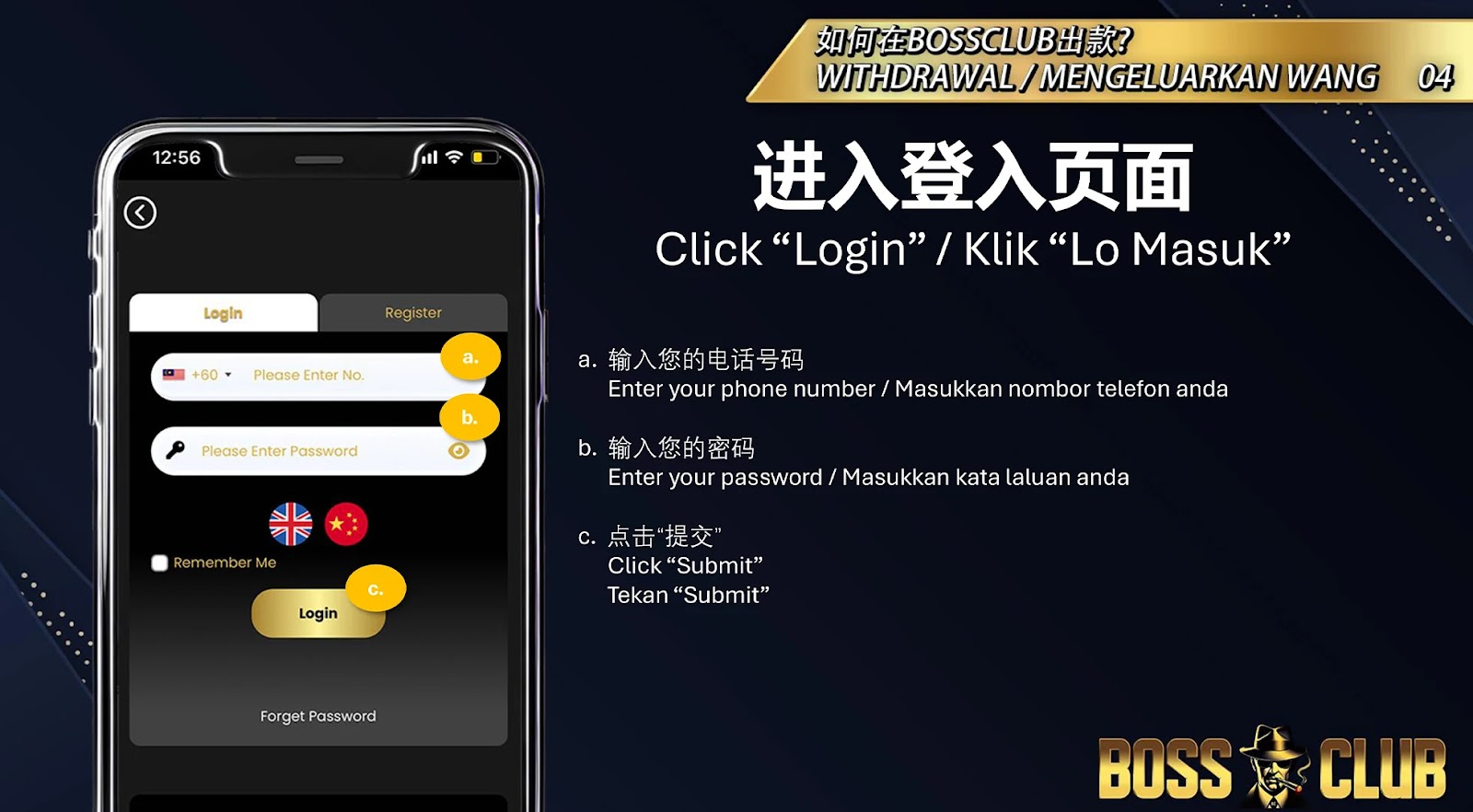
Step 2: Log in to Your Account

Enter your phone number and password, then click “Login” to access your account.

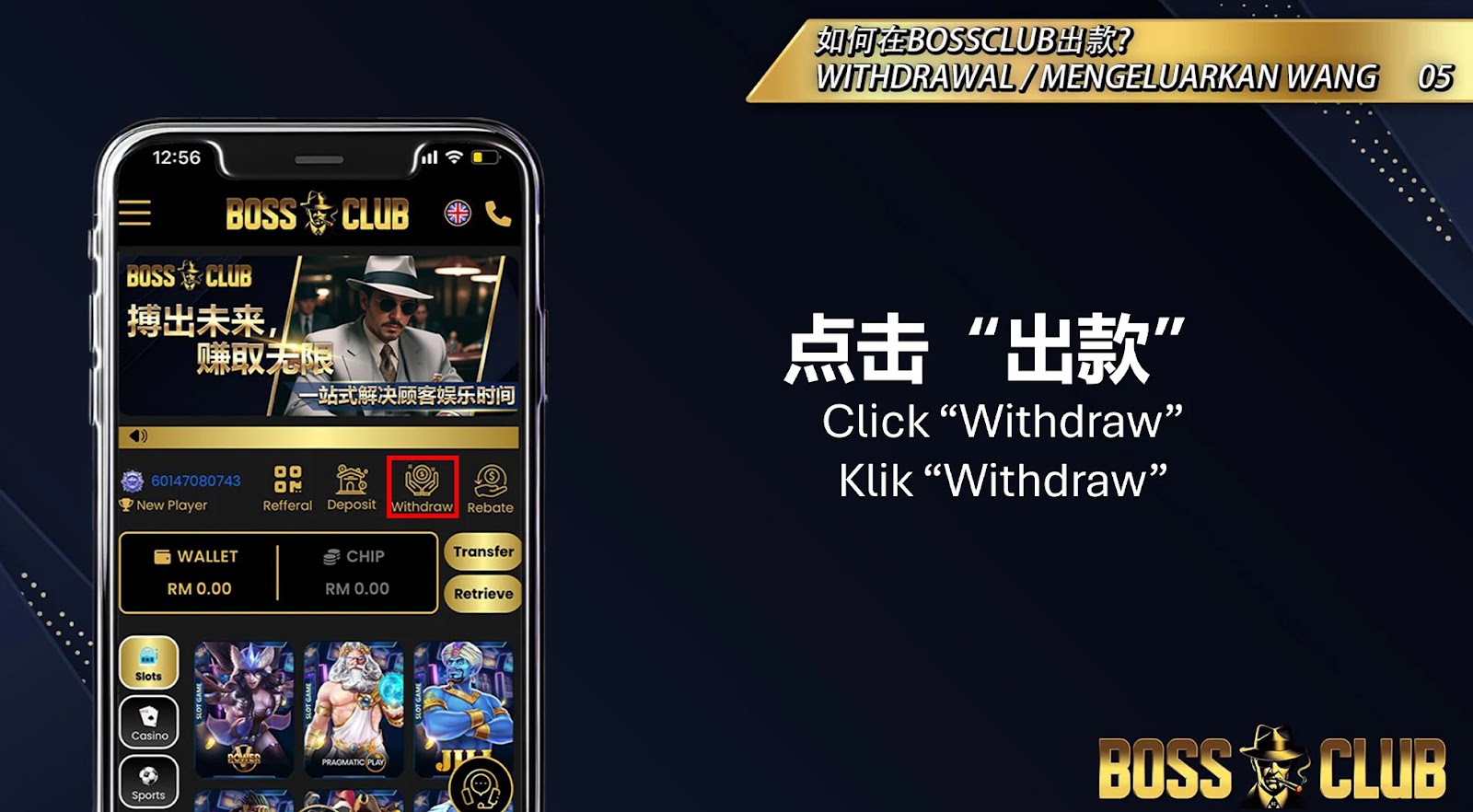
Step 3: Initiate the Withdrawal Process

Click on the “Withdraw” button in your dashboard to open the withdrawal page..

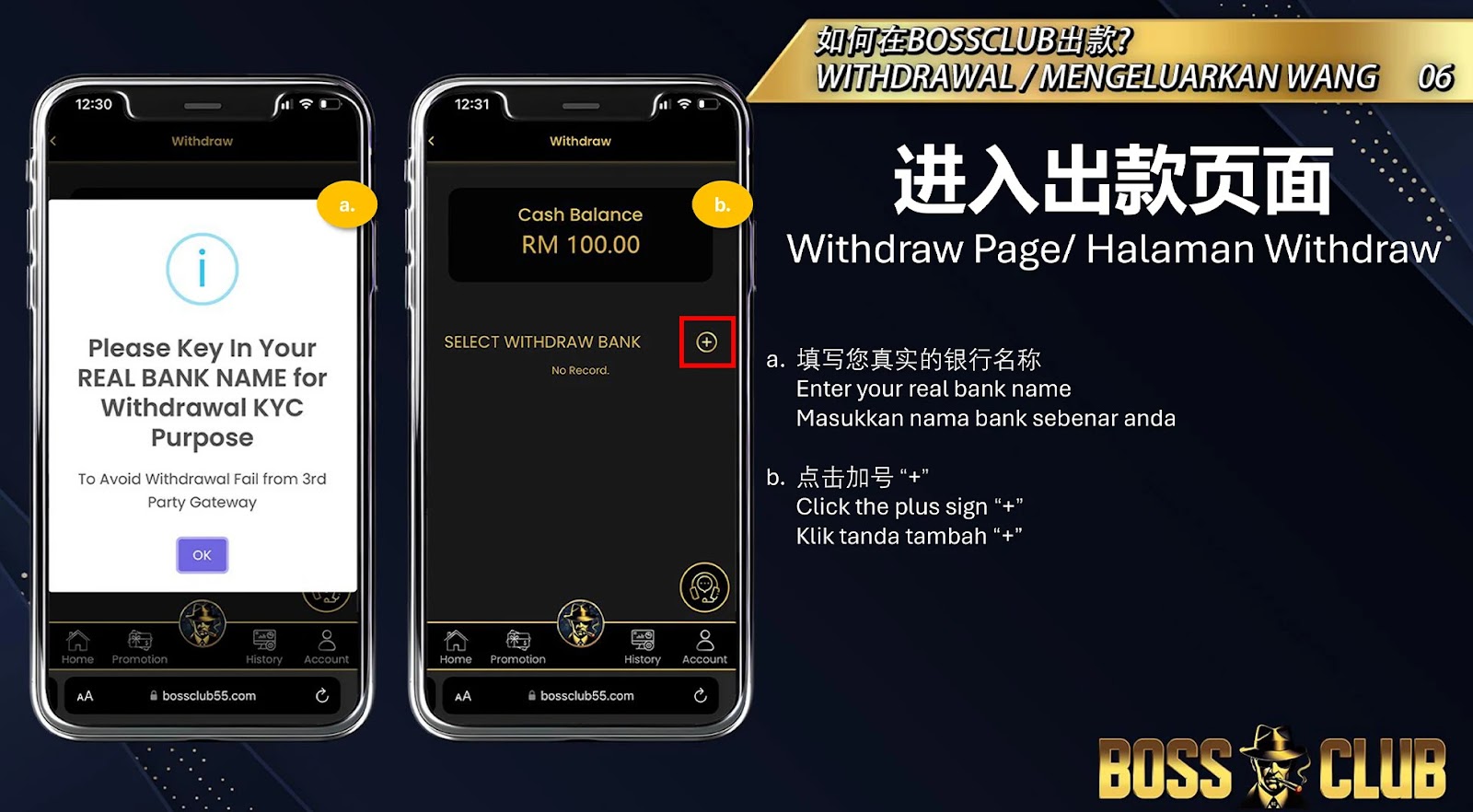
Step 4: Enter Your Bank Details

Provide accurate bank details by following these steps:
a. Enter your real bank name.
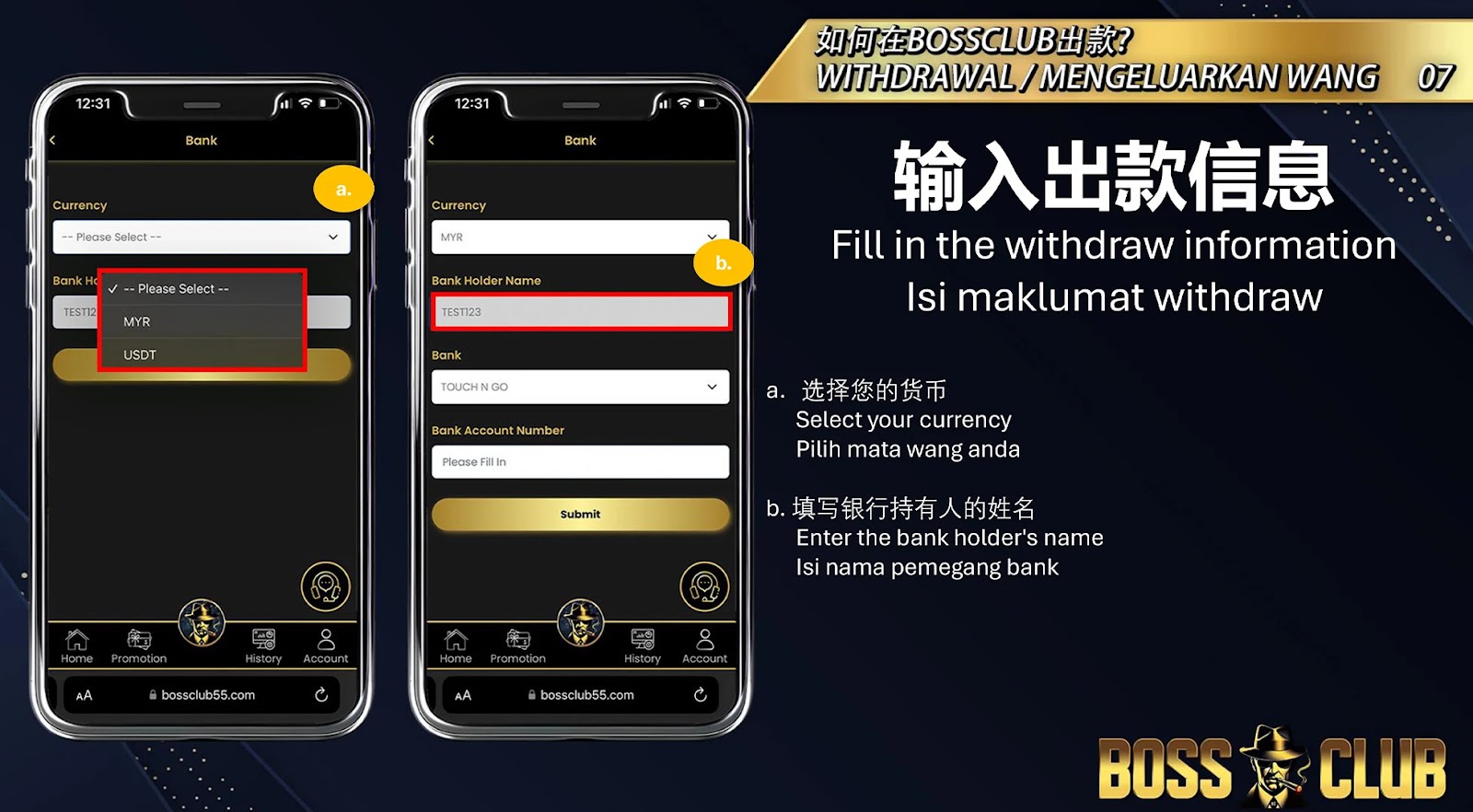
b. Click the plus sign (+) to add your bank details.
c. Select your currency.
d. Enter the bank holder’s name.
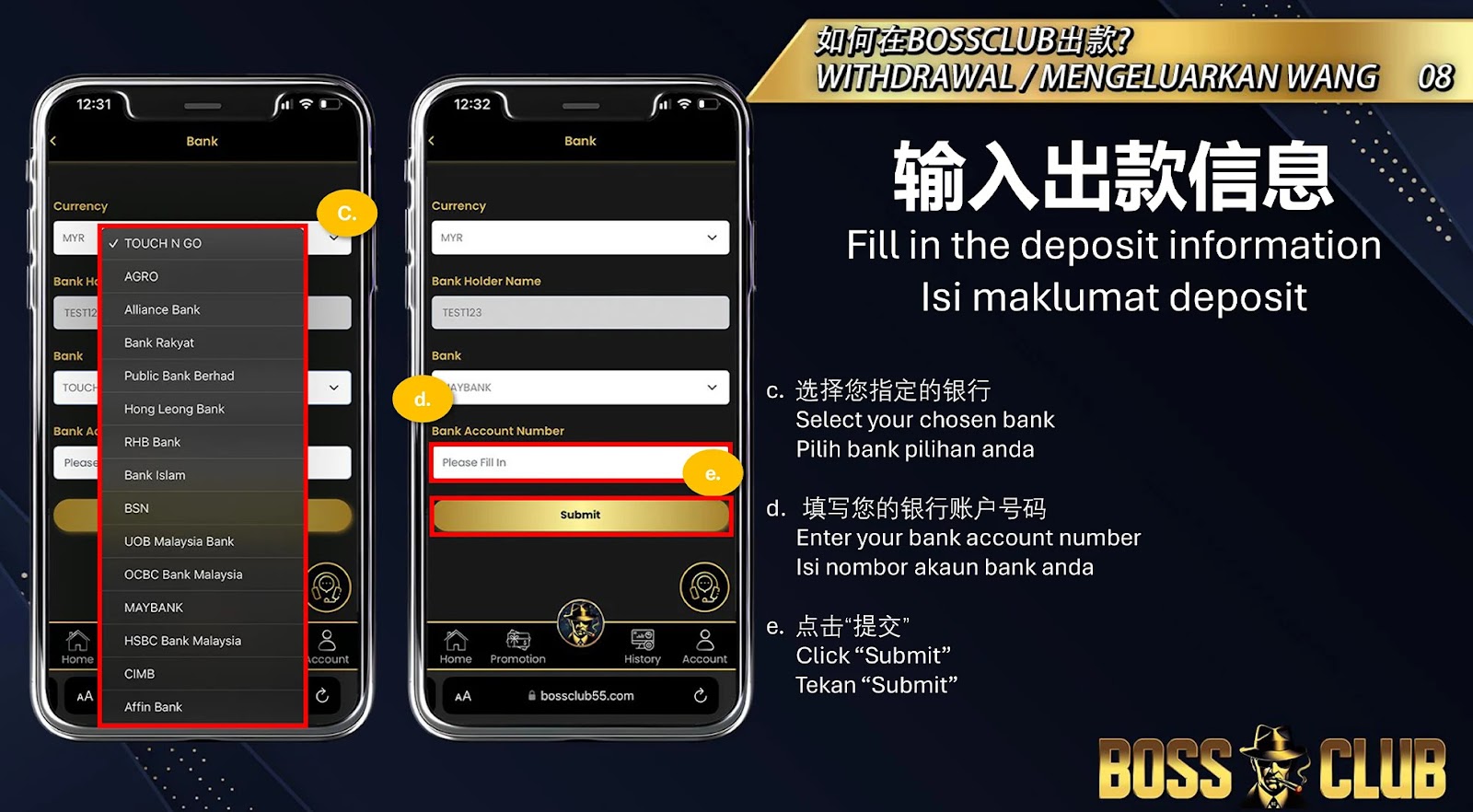
e. Choose your preferred bank.
f. Enter your bank account number.
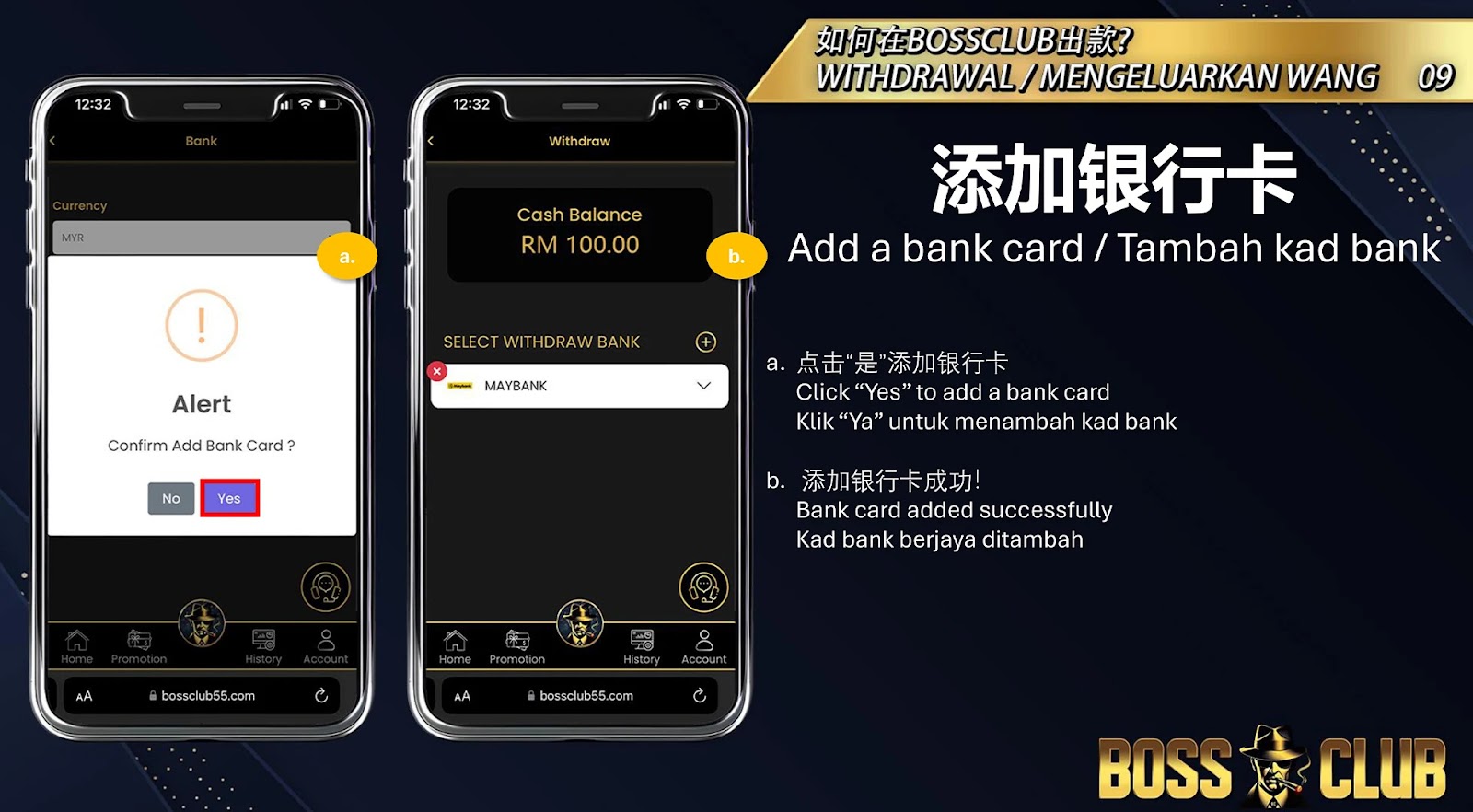
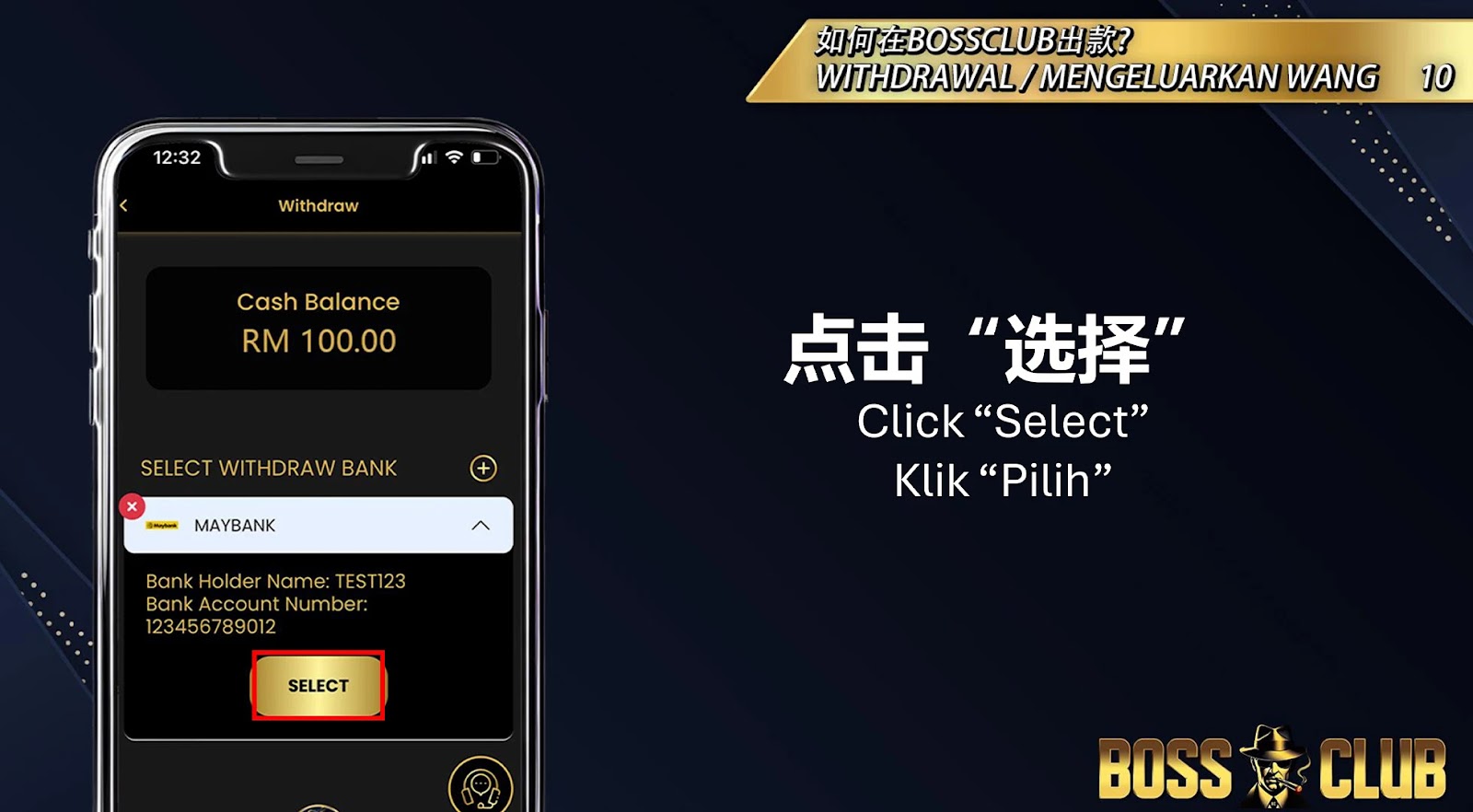
g. Click “Submit” and confirm by clicking “Yes” to add your bank card.

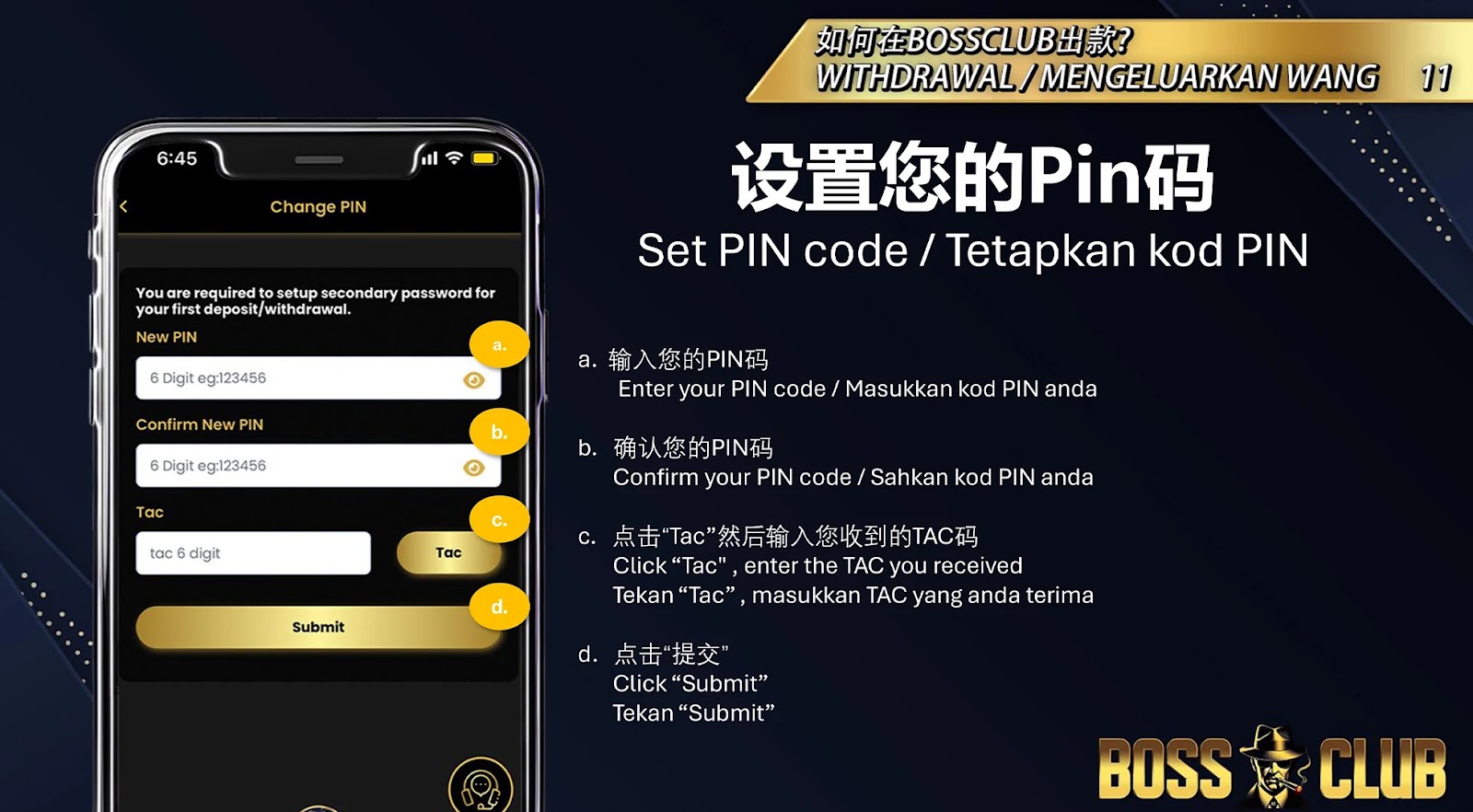
Step 5: Set and Confirm Your PIN Code

Set up your security PIN by:
a. Entering your PIN code.
b. Confirming your PIN code.
c. Clicking “TAC”, entering the TAC code you received, and clicking “Submit”.

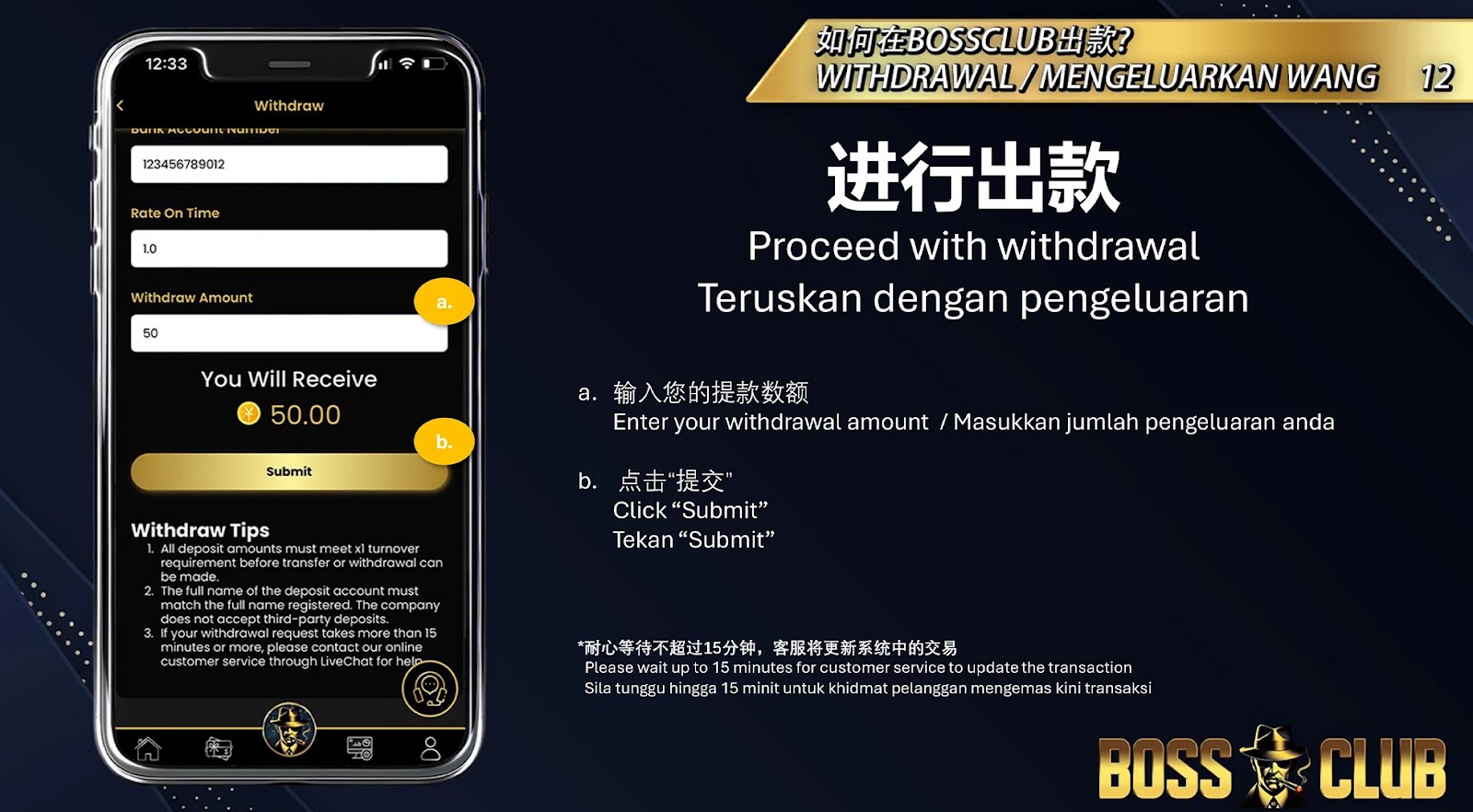
Step 6: Enter Withdrawal Amount

Enter the amount you wish to withdraw and click “Submit” to proceed.

Step 7: Finalize and Wait for Confirmation

Wait up to 15 minutes for customer service to update your transaction.

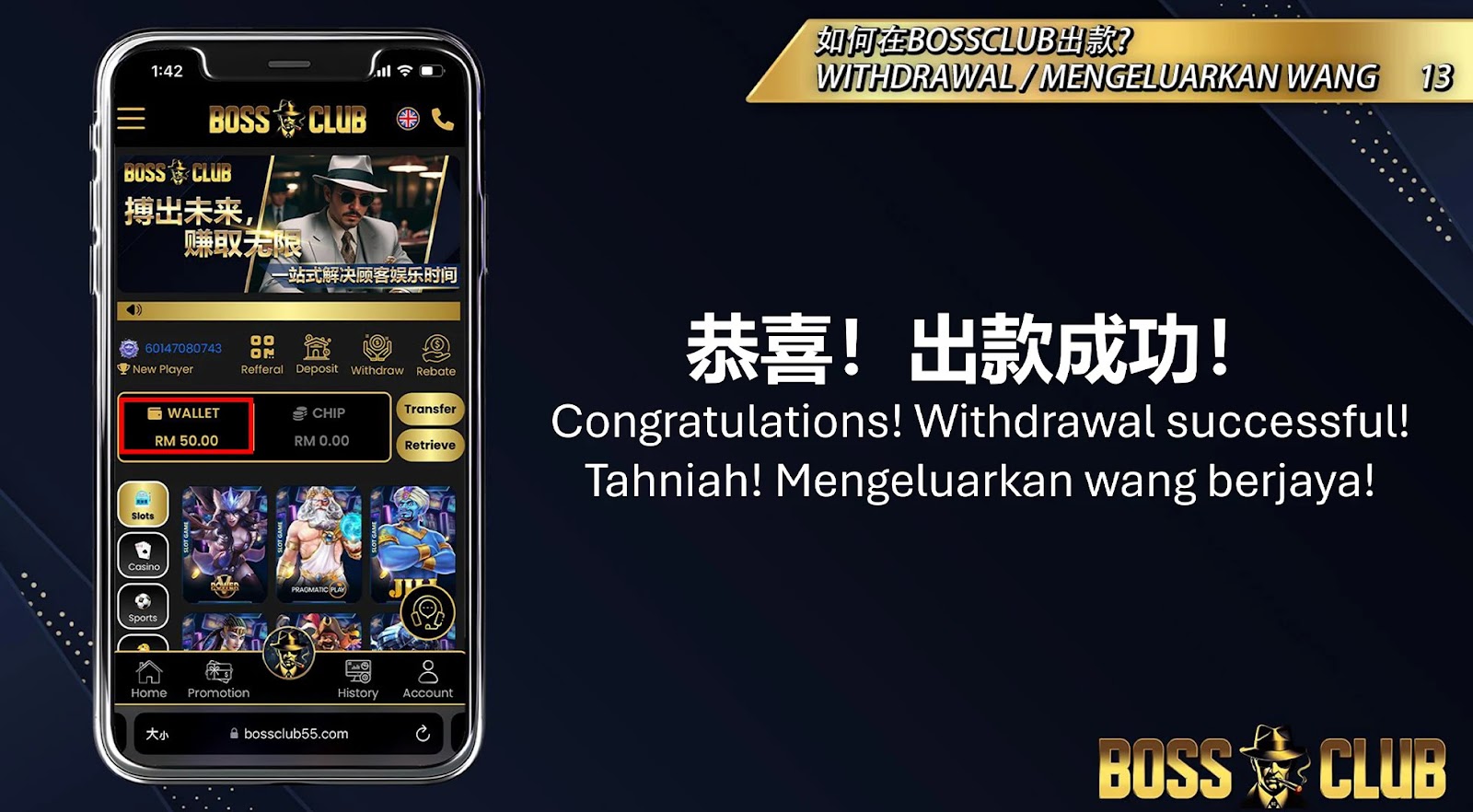
Step 8: Withdrawal Successful!

Once the transaction is updated, your withdrawal will be marked as complete. Congratulations! Your funds have been successfully transferred.

Start Enjoying Your Winnings Today

Congratulations! With your withdrawal successfully completed, you’re ready to enjoy your winnings. At BOSSCLUB55, we ensure a secure and seamless process, making your gaming experience smooth and rewarding. Don’t stop here—keep playing, winning, and withdrawing with BOSSCLUB. The next big win could be yours!